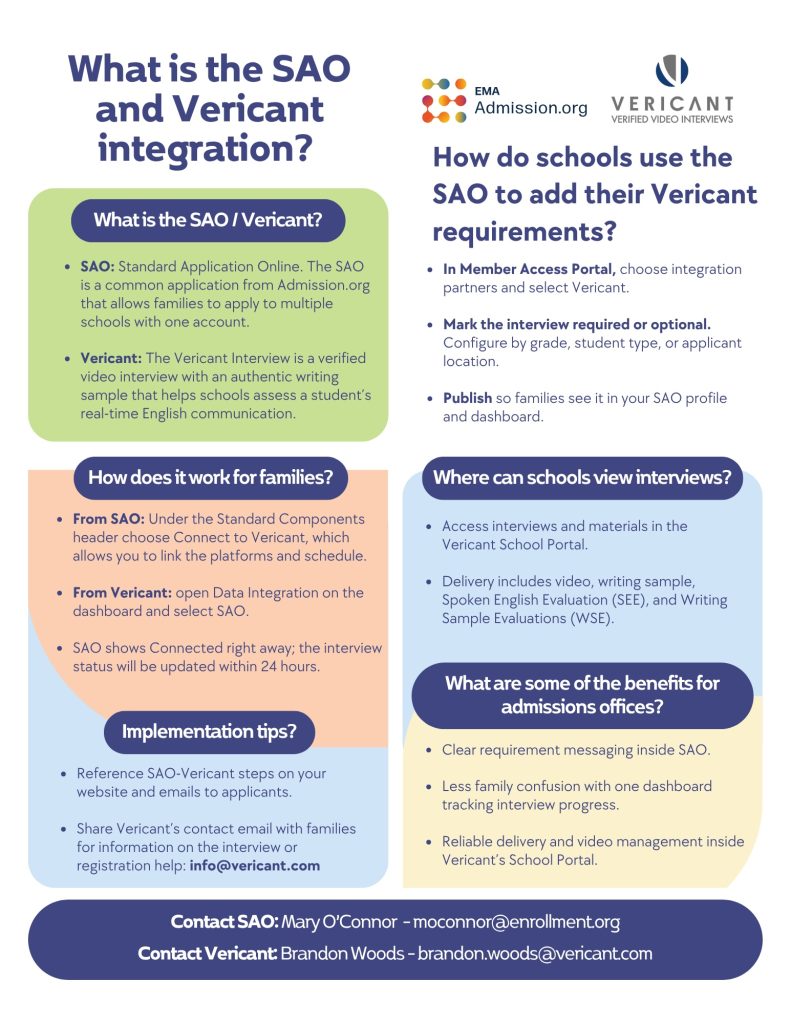
What Is the SAO-Vericant Integration?
The SAO-Vericant integration allows students to link their Vericant interview account with their SAO (Standard Application Online) account so that interview progress can be shared between the two systems.
What Happens After Connecting
Once a student connects the two accounts, their interview progress and status will automatically appear on their SAO dashboard. This helps families easily follow the progress of their Vericant interview while they continue their SAO application.
At this stage, the integration only supports sharing data between Vericant and SAO for student use. The integration for school use will be developed in the next phase.
How Students Can Connect
If you already have a Vericant account, you can connect from the Vericant dashboard. You will see a section called Data Integration with an SAO row.
- If it shows “Not Connected,” click “Connect” and follow the steps to link your accounts.

- Once connected, it will display “Connected” along with the connection date.

If you have an SAO account, you can connect from the SAO dashboard. Please refer to the SAO website for instructions.
Why This Integration Matters
This connection saves time and keeps everything in one place. Families can view their interview status directly in SAO without switching between platforms, ensuring a smoother and more transparent application process.